
NEW · NOVEMBER 13, 2026
Rune trades
List an item from your stash and ask for runes in return. Whoever has those runes buys it from the launcher and the exchange happens by itself, instantly, even if you are not both online.
- Sell in the game
- From the Trades page of your stash, right-clicking the item.
- Buy in the launcher
- In the TRADES tab, choosing the character that has the runes.
- Instant
- The runes and the item change hands on their own. Nobody has to hand anything over.
- Ladder only, no fee
- The item stays listed for 7 days. You can cancel it whenever you want.
IN THE GAME · SELL
List an item
In town, with a Ladder character.
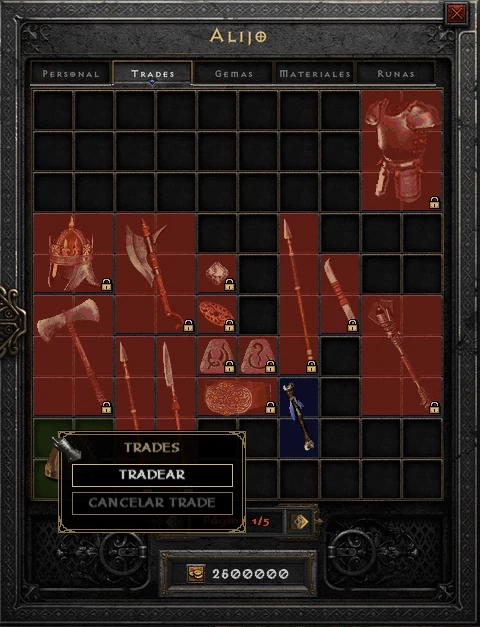
- Open your stash and go to the Trades page.
- Put the item you want to sell there.
- Right-click the item and choose TRADEAR (trade).
THE PRICE
Choose the runes you ask for
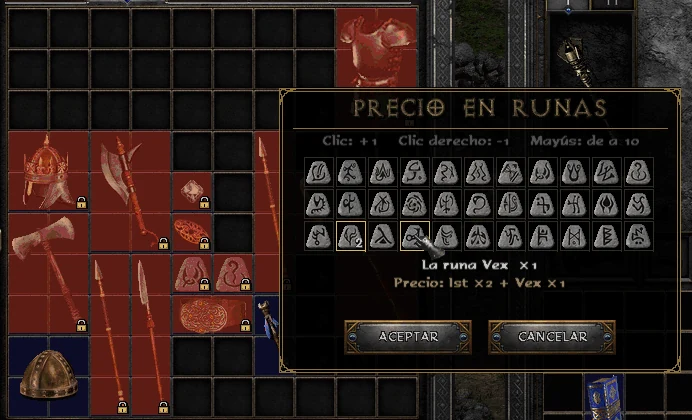
A grid opens with all 33 runes, from El to Zod.
- Click adds one rune, right-click removes one and Shift + click adds 10.
- Up to 6 different runes, from 1 to 99 of each.
- Below you see the price, for example Ist ×2 + Vex ×1. Press ACEPTAR (accept) and you are done.
LISTED
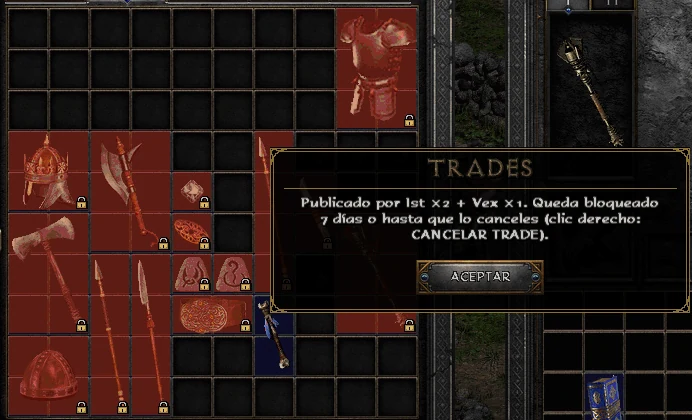
Locked for 7 days
From then on everyone can see the item in the launcher. On your Trades page it shows a padlock.
- While it is listed it cannot be moved, dropped, sold or socketed.
- CANCELAR TRADE (right-click the item) takes it off the market whenever you want, unless someone is buying it at that moment.
- After 7 days it unlocks by itself and becomes a regular item in your stash again.
- Up to 20 listings per account.
- Passes, personalized items and quest items cannot be sold.
IN YOUR STASH
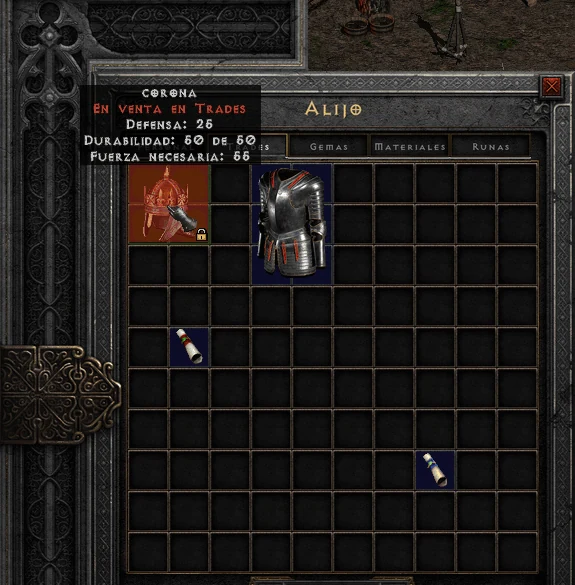
How to spot it
When you hover over it, the item says En venta en Trades (for sale in Trades).
IN THE LAUNCHER · BUY
The TRADES tab
Everything that is listed shows up there. Filter by type and quality, or search by name, property or player.
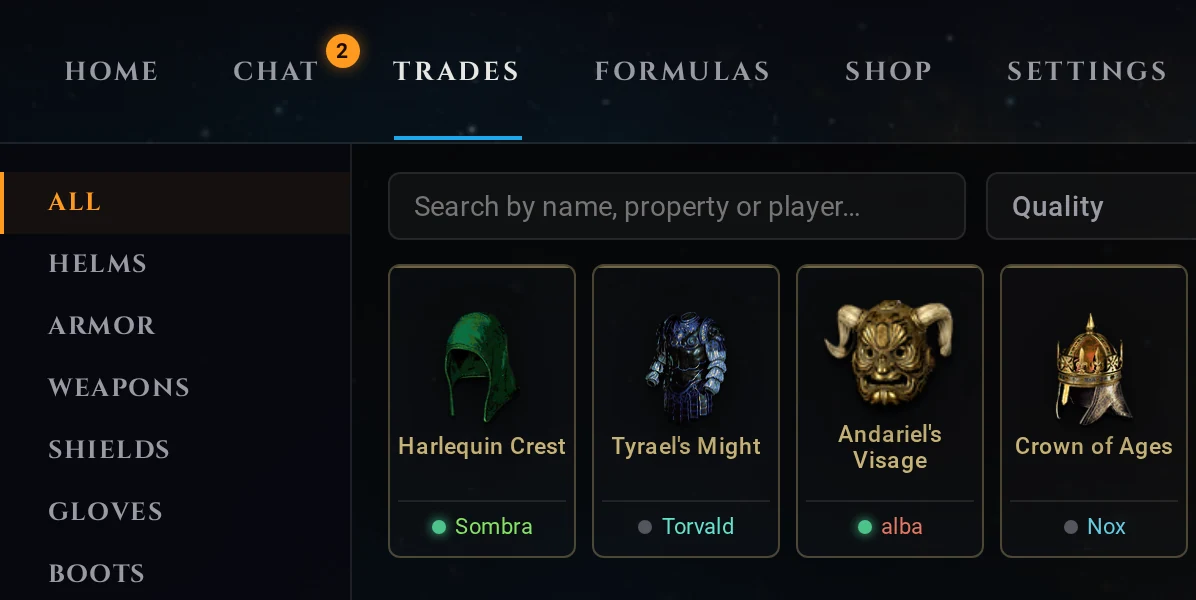
ITEM FOR TRADE
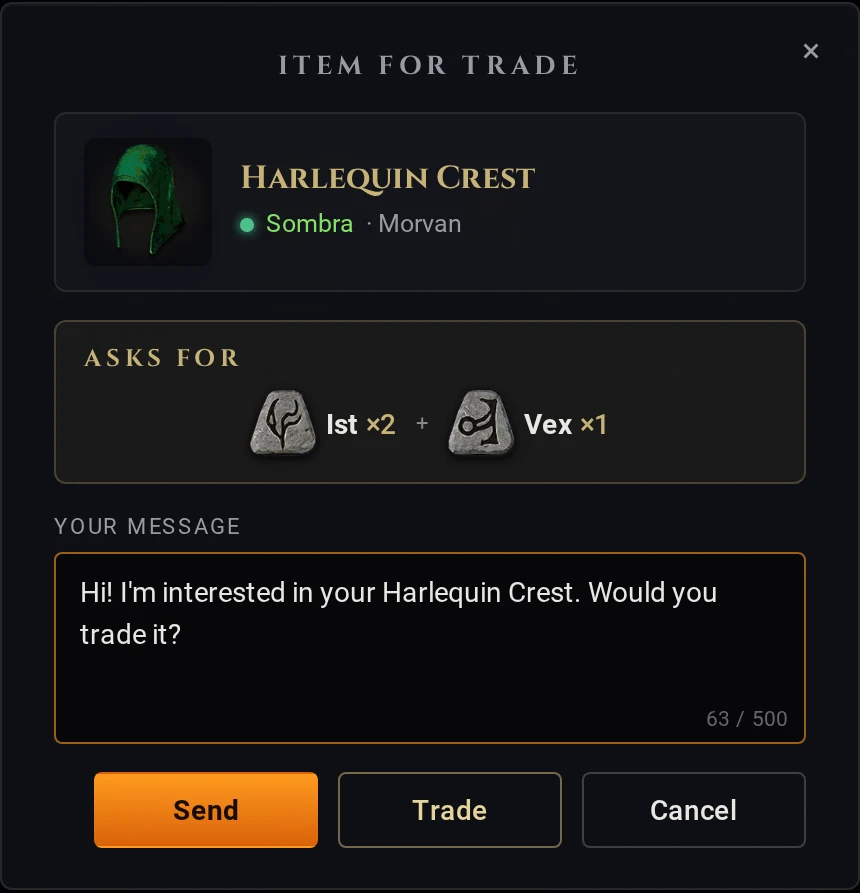
Click the item
A window opens with what it ASKS FOR: the runes, and how many of each.
- SEND messages the owner, in case you want to talk first.
- TRADE goes on to the purchase.
- CANCEL closes the window.
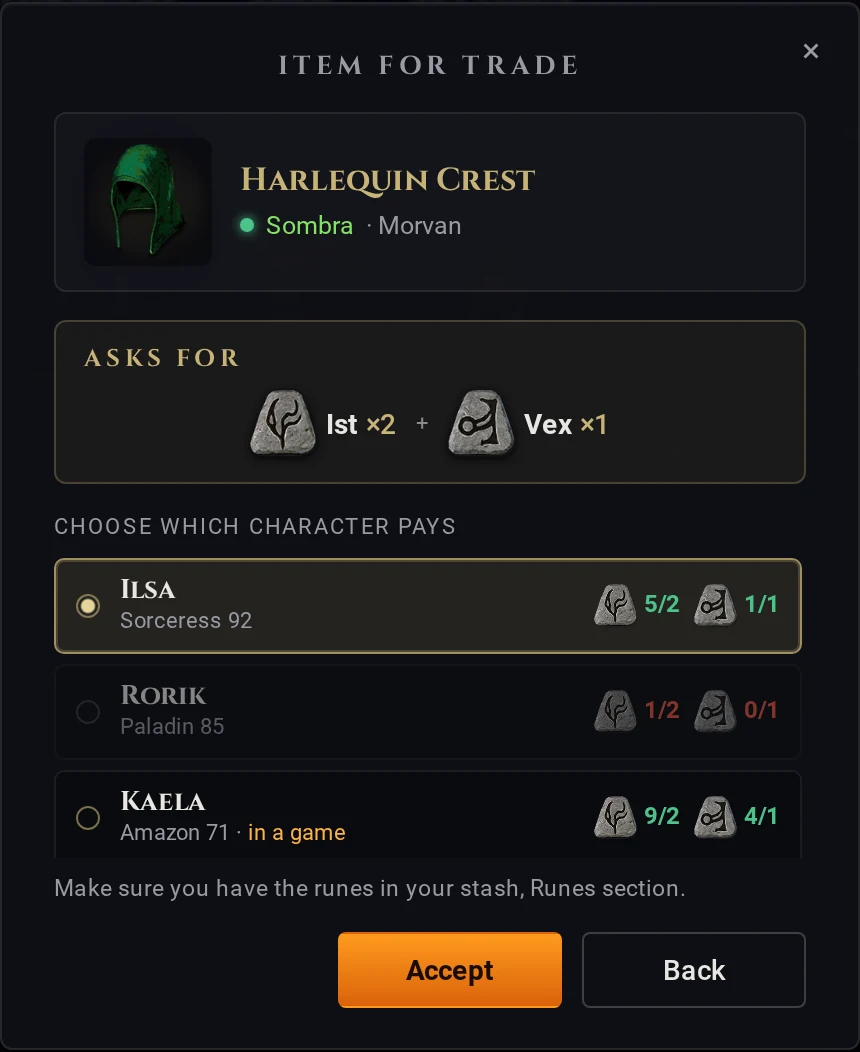
TRADE
Choose the character that pays
Your characters show up, from the account you used to log in to the launcher chat.
- Next to each one you see how many of each rune it has against the price: in green if it is enough, in red if some are missing.
- Pick one and press ACCEPT.
- Make sure you have the runes in your stash, Runes section.
THE EXCHANGE
Instant and automatic
- The buyer's runes are taken and the item appears in their Personal stash.
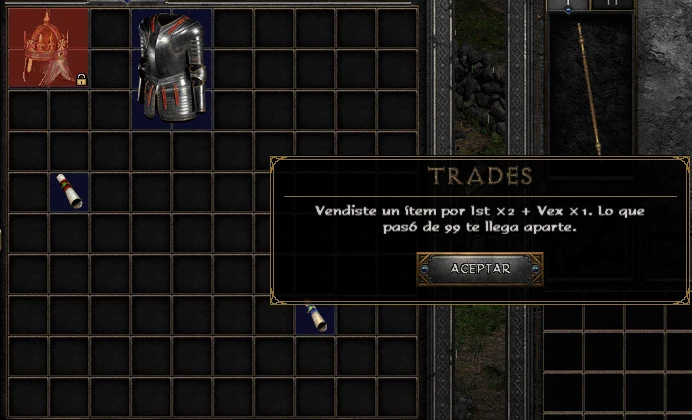
- The seller loses the item and gets the runes.
- If they are playing, it arrives right away, inside the game, even with the stash open. If not, it is there when they log in.
- If the buyer is in a game outside town, they get it when they go back to town or leave the game.
THE BUYER
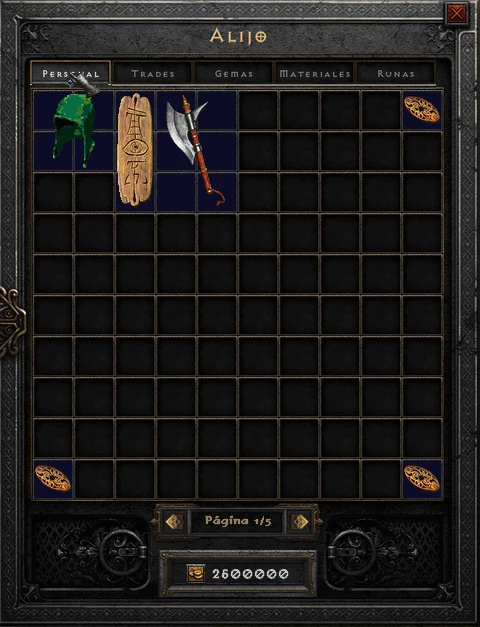
The item, in your stash
What you bought lands on the Personal page of the stash of the character that paid, ready to use.
THE RULES
Safe, and for Ladder
- Nothing is ever duplicated
- If two players buy the same item at once, only one gets it.
- No fee
- The seller gets every rune they asked for.
- Ladder only
- Seller and buyer must be the same type: both hardcore or both softcore.
- Not your own
- You cannot buy your own item.
- Ladder reset
- Listings are suspended and the items are unlocked.
- Server rules
- They still apply: no real-money trading. See the Rules.